The problem
Why do approvals get stuck?
- Requests travel by e-mail and phone; nobody knows who holds them.
- Approval rules vary by person and are not recorded.
- Approved work is re-entered into ERP by hand.

Talep, onay zinciri, görev ve form; kimde beklediği, ne kadar sürdüğü ve ERP'ye ne yazdığı görünür.
The problem
Our answer
What sets us apart
Formları, adımları, kararları ve onay akışlarını görsel olarak kurun.
Görev, sorumlu, SLA ve bildirimlerle hiçbir iş sahipsiz kalmasın.
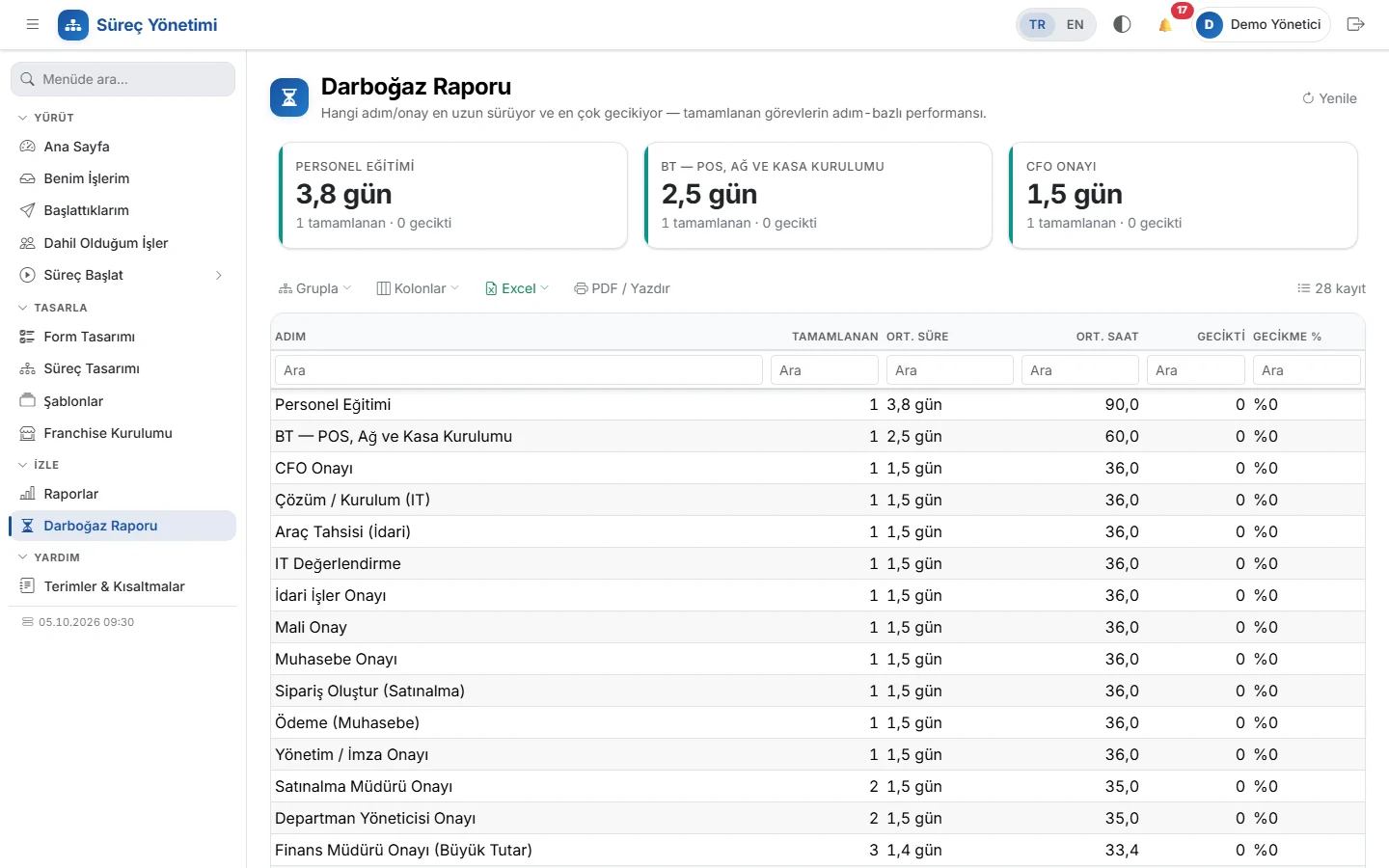
Darboğazları, tamamlanma sürelerini ve iş geçmişini görünür kılın.
Approvers get notified and approve from their phone; reminders and escalation on delay.
Purchasing, leave, hiring, travel and advances, expenses, IT support, contract approval and more come with the installation.
Invoice and order forms with header, line and footer sections; line formulas, totals and PDF output.
Call REST/SOAP services from a process step and write records to Logo Tiger and Mega with field mapping.
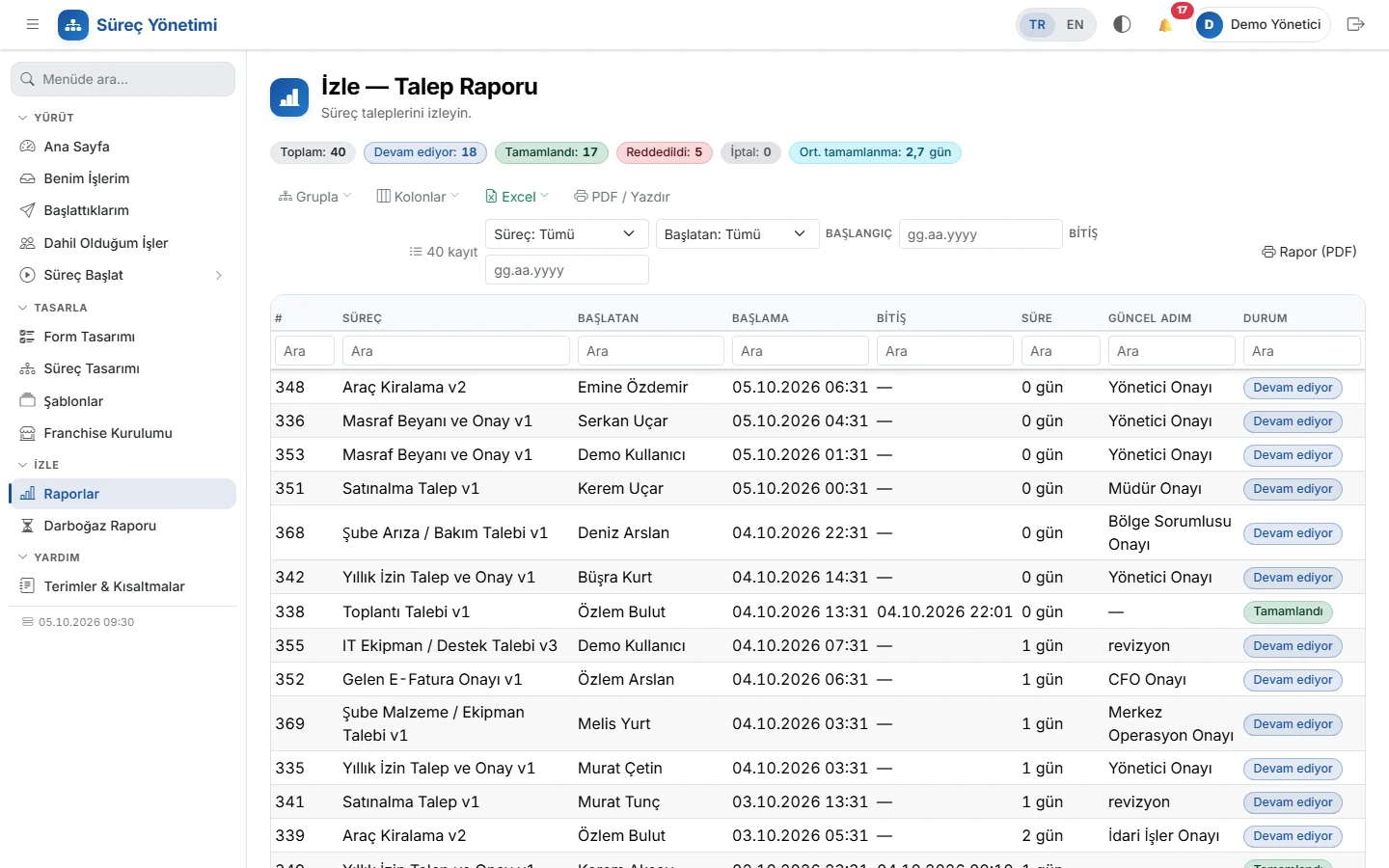
Request report, status summary, Excel export and printable reports with your company header.
Design, run and monitor requests and approvals with no-code workflow design, SLA, notifications, forms and ERP integrations.
Data entry without code
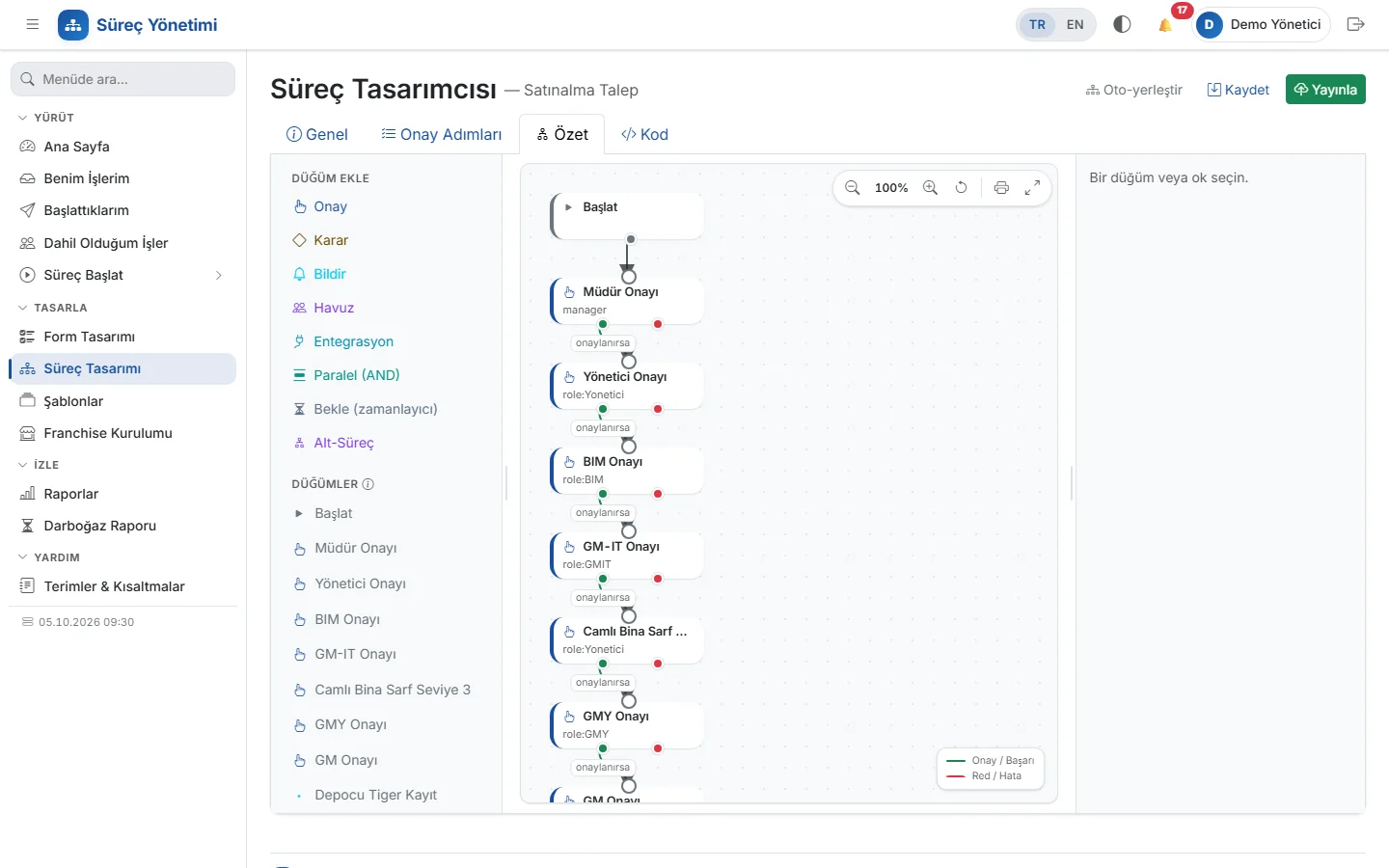
SUM(); one-click Invoice or Order template.The flow is built on a visual canvas: steps appear as cards and are connected by dragging from their approve (green) and reject (red) outputs; an auto-layout button tidies the diagram. The Code tab shows the same definition as JSON.
| Step | What it does |
|---|---|
| Approval | Goes to a person, a role or the manager; branches on conditions |
| Pool | Work goes to a role and one member claims it |
| Parallel | Branches run at the same time and join when all finish |
| Wait | Waits for a period or a date in the form, then moves on automatically |
| Sub-process | Calls another process and continues based on its outcome |
| Integration | Writes to the ERP or calls a service; on failure it moves to an error step |
| Notification | Sends bell and email notifications to those involved |
Processes are kept in Development, Test and Live modes; definitions can be copied and exported as JSON.
17 processes out of the box
| Area | Processes |
|---|---|
| Purchasing | Purchase Request (Manager → Director → Deputy GM → GM approval chain, amount thresholds), Shared Purchasing Pool, Warehouse → Pool Assignment, Request → Order |
| Human resources | Annual Leave, Hiring and Onboarding, Probation Period, Offboarding |
| Finance | Business Travel and Advance, Expense Claim (with attachments), e-Invoice, Contract Approval |
| IT and admin | IT Support, IT Support and Change, Vehicle Rental, Meeting |
Use each one as-is, or copy it and adapt it to your organisation.
/healthz, /readyz) for monitoring.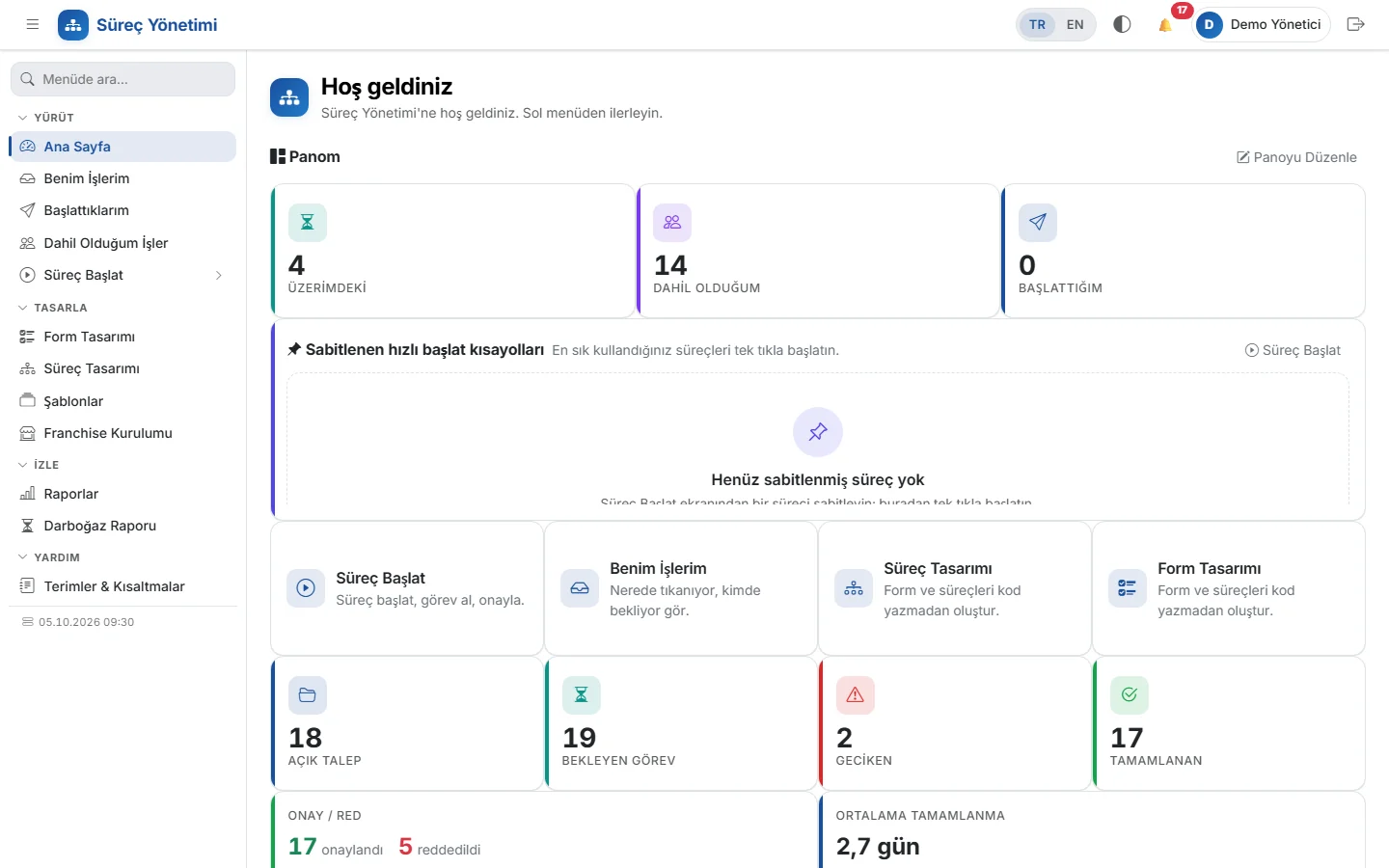
Today (manual / spreadsheets)Requests go by e-mail, people wait for answers and ask by phone whose desk it is on.
With LogoSüreçFlows are designed without code; approvers approve from mobile, late steps are reminded and escalated.
Today (manual / spreadsheets)An approved request is keyed into Logo again by hand, with the risk of typos.
With LogoSüreçThe approved record is written to Logo Tiger / Mega through field mapping.
Today (manual / spreadsheets)It is searched for in e-mail threads and file notes.
With LogoSüreçEvery step lands in the audit trail; reports show durations and pending steps.
Pricing depends on the modules you use and on the number of users and companies. Try it free first or ask for a short live demo; once the scope is clear, we send a written quote.
Build the form in the drag-and-drop designer and the flow on the visual canvas — or copy one of the ready-made processes.
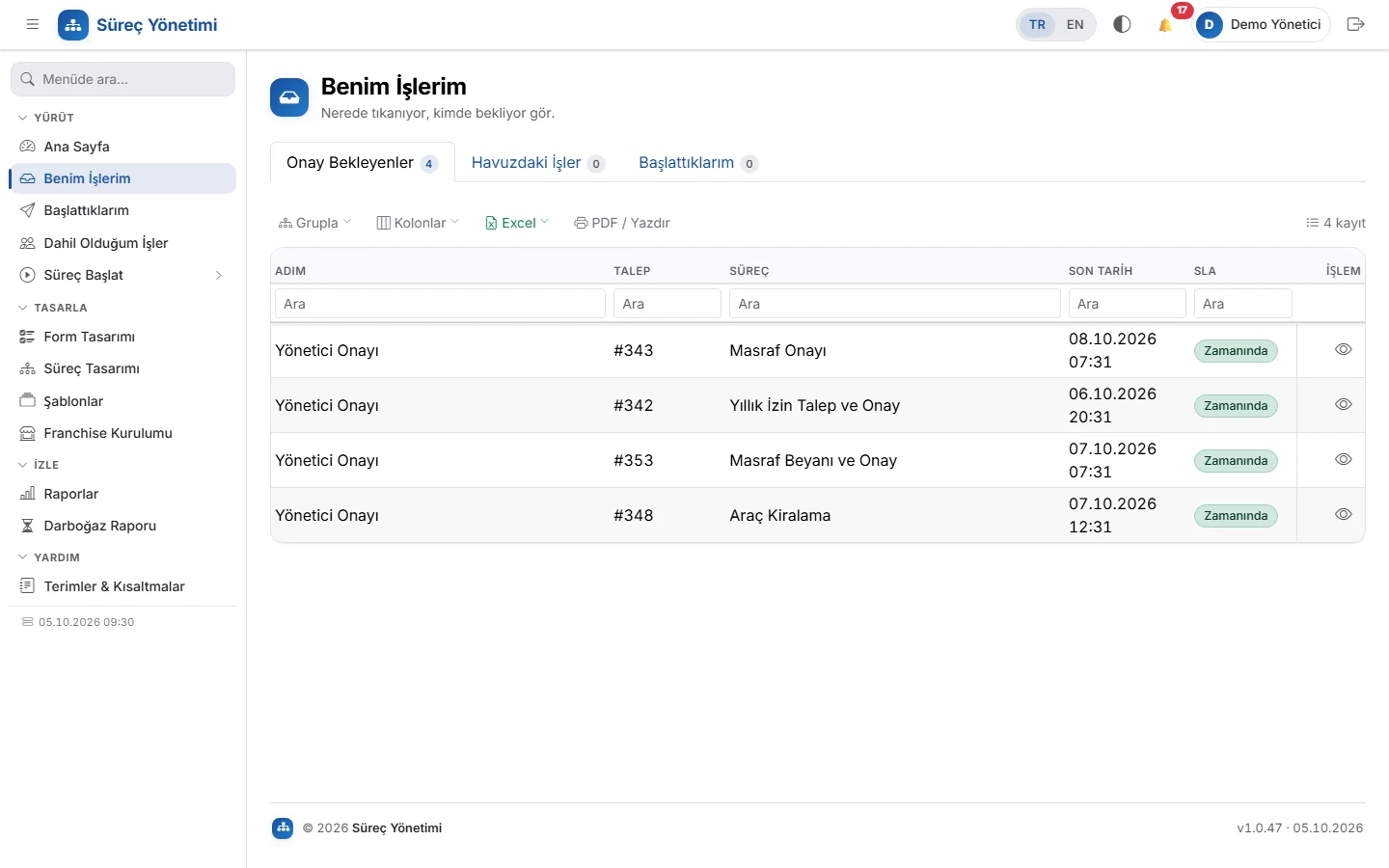
Employees start the process; work reaches approvers in turn and everyone moves forward from «My Tasks».
Track where a request is waiting, its SLA status and completion times on dashboards and reports.
No. Forms are built in a drag-and-drop designer and flows on a visual canvas. If you prefer, the same definition can also be edited as JSON in the Code tab.
Yes. 17 processes — including purchasing, leave, hiring, travel and advances, expenses, IT support and contract approval — come with the installation; copy and adapt them.
Yes. The integration step writes records to Logo Tiger (via ERP Bridge) and Mega using a field-mapping wizard; on failure the process moves to an error step instead of silently continuing.
The purchasing process pack was adapted from Logo Flow definitions, and a framework for migrating e-Flow/Logo Flow data is in place. We agree the scope together at the quote stage.
The Monitor screen shows the step and person each request is waiting on, its SLA badge and event log; overdue steps are escalated to the manager.
A decision cockpit on your LOGO ERP data, no-code approval workflows and automatic Central Bank (TCMB) exchange rates.
All solution bundlesTry the whole flow with a demo account on a fictional company's data; nothing is written to your real systems. Then we will prepare a quote for your needs.
Choose how you would like to hear about LogoSüreç: news by email, or a call from us.
Would you like a feature in LogoSüreç, have a suggestion or hit a problem? Tell us; the team reads every message and shapes the roadmap accordingly.