Overview
Cash, receivables, maturity risk, margins, sales trends and inventory signals for owners, finance, sales and stock teams.
Owner screen
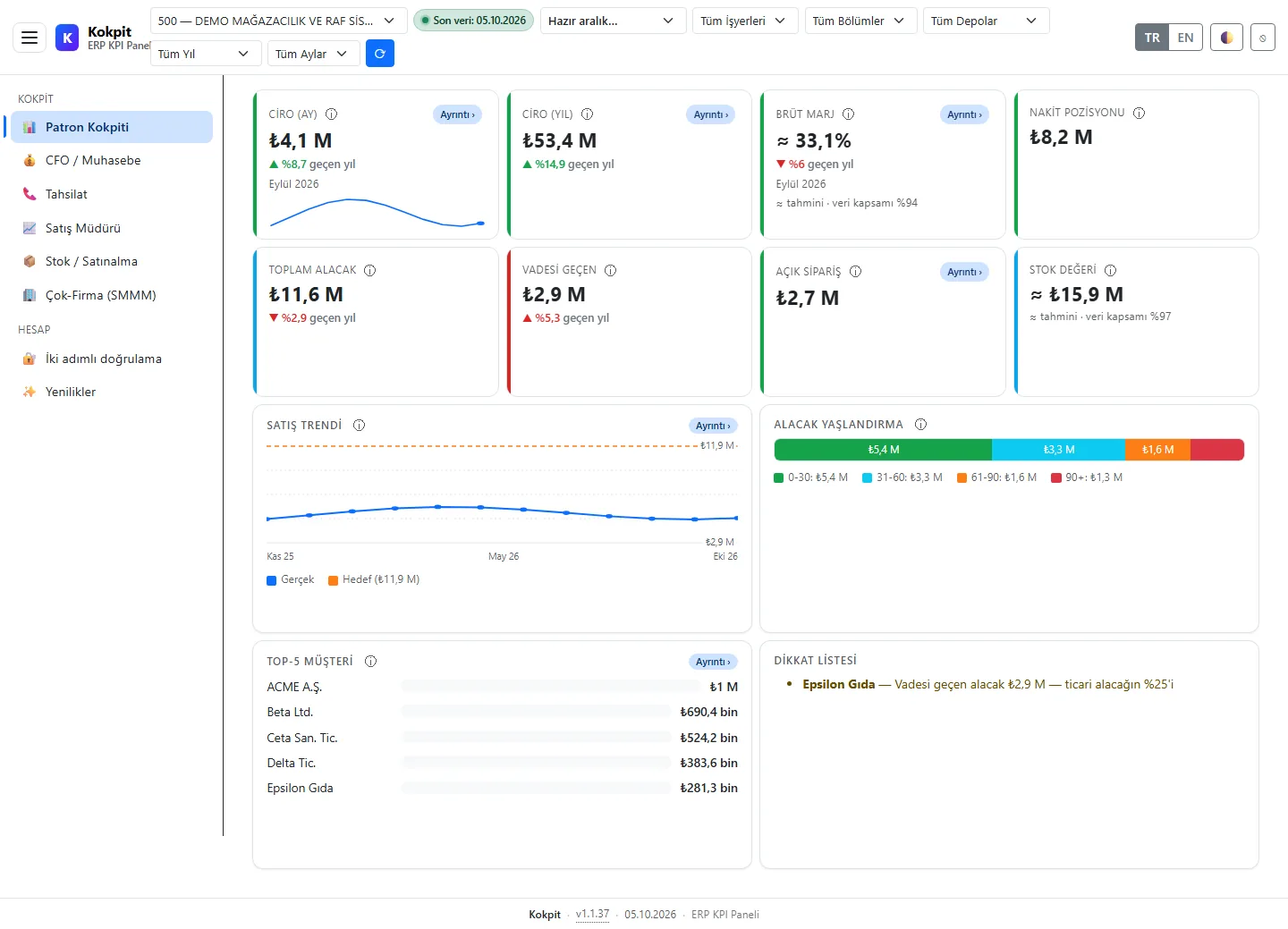
The whole company on one page
- Revenue: today, this month and year to date.
- Cash (live), receivables, overdue receivables, margin and stock value.
- Sales trend chart, top customers and best-selling products.
- Receivables ageing: how late each receivable is, at a glance.
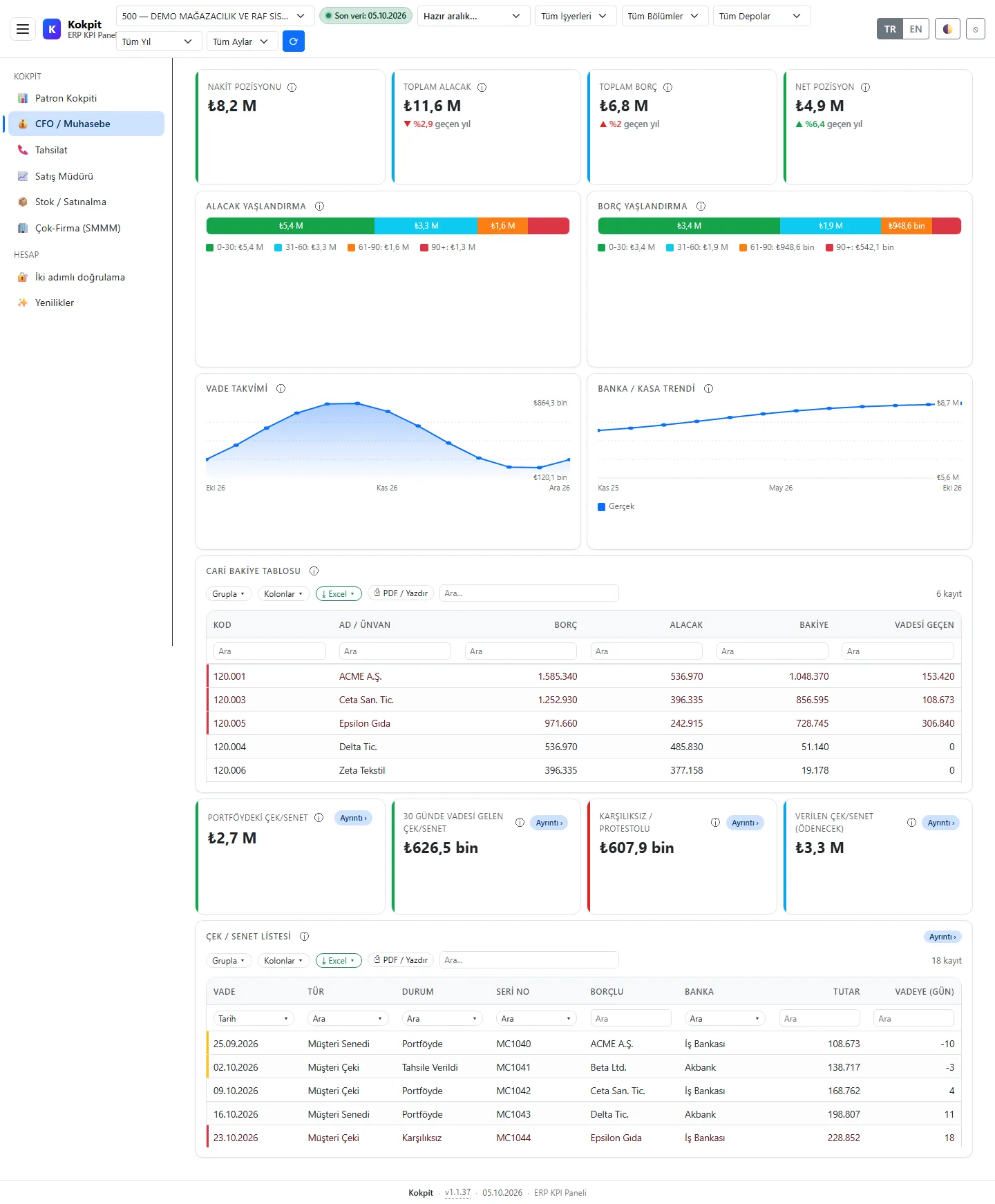
CFO and accounting
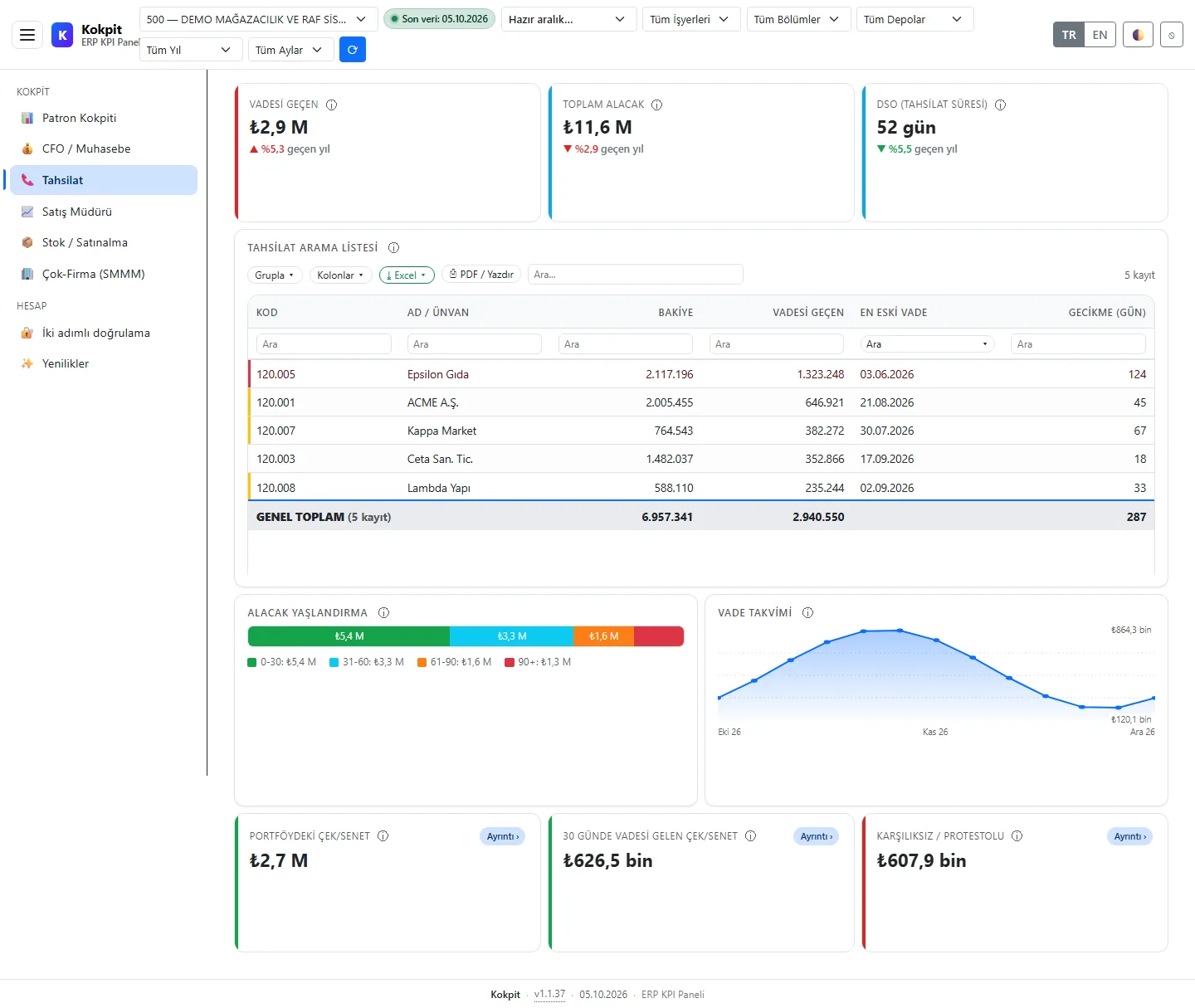
- DSO (days sales outstanding); receivables, payables and net position.
- Receivables and payables ageing tables and a due-date calendar.
- Bank and cash trend.
- Account balance table: grouping, sorting, filtering and Excel/PDF.
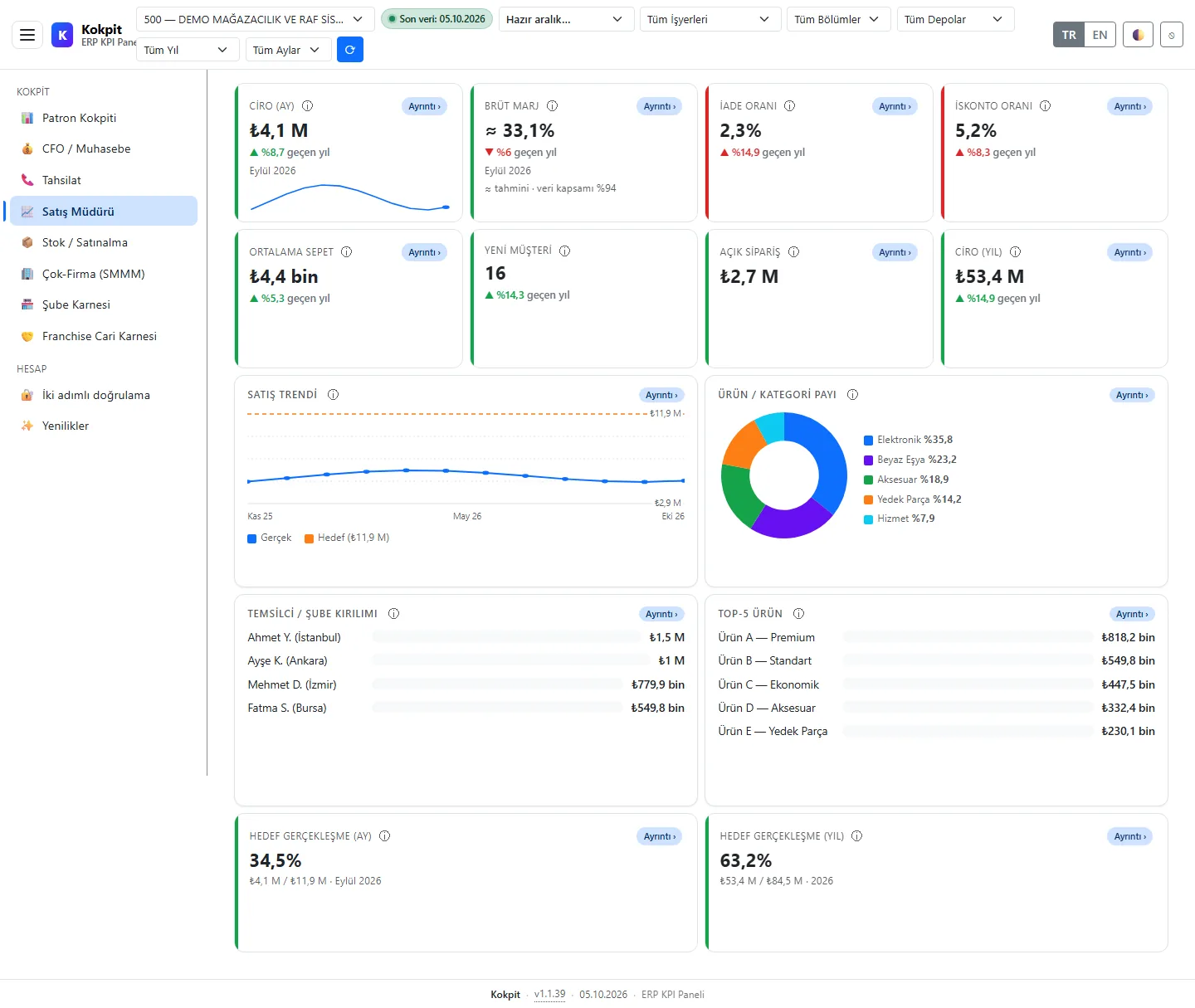
Sales
- Sales trend against target.
- Category share and a sales-rep breakdown.
- Returns, discounts, average basket and new customer signals.
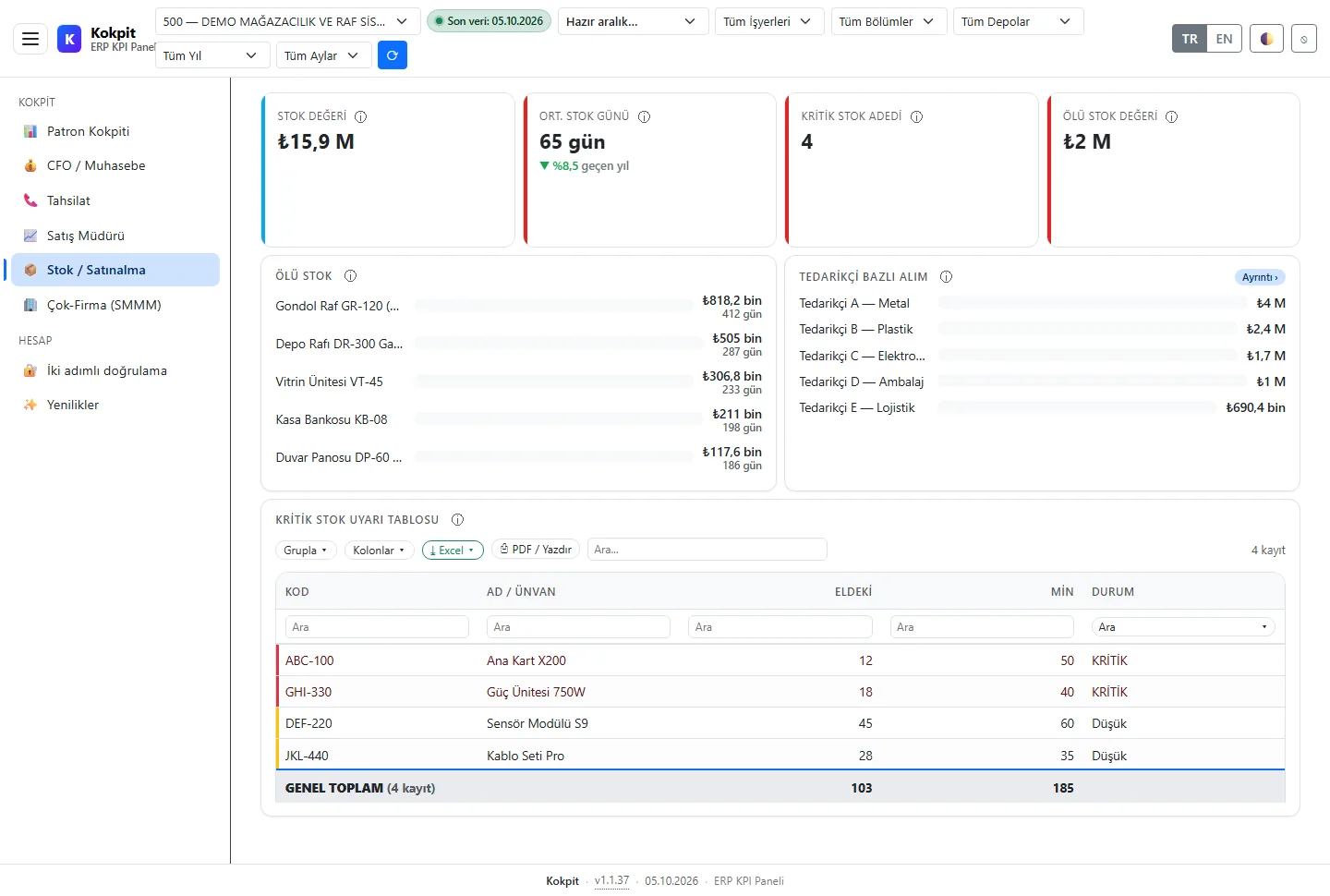
Stock and purchasing
- Stock value and turnover.
- Critical stock table: items about to run out.
- Dead stock: items with no movement for a long time.
- Purchases by supplier.
Accountant (multi-company)
The accountant screen puts client companies side by side:
- A risk score and a small trend line (sparkline) for each company.
- Watch list: the companies to look at first.
- Cross-company comparison.
Data connection and security
- Data comes from the Logo Tiger/GO company database through the ERP Bridge agent's read-only endpoint; queries are templated and parameterised (SQL-injection protection locked in by tests).
- Sign-in is required; unauthorised pages show a 403 card and sign-in forms are protected against request forgery.
- Multiple tenants and companies are kept separate in one installation.
- A health endpoint (
/healthz) for monitoring; Turkish and English interface.
Demo
The demo dashboards are fed from a real Logo Tiger demo company and contain no customer data. Fill in the quote form and we will share a demo sign-in.