The problem
Small needs turn into big projects
- Work run in spreadsheets: version chaos and no record of who changed what.
- Months-long software projects even for a small business app.
- A separate tool for every process your ERP does not cover.

Design your tables, forms and menu; lists, document entry, history and permissions come ready. In development — leave your details for early access.
The problem
Our answer
What sets us apart
Tables, fields, relations, forms and the menu on one screen; changes stay in draft until you publish.
Drag fields into place, resize them and preview on desktop, tablet and phone.
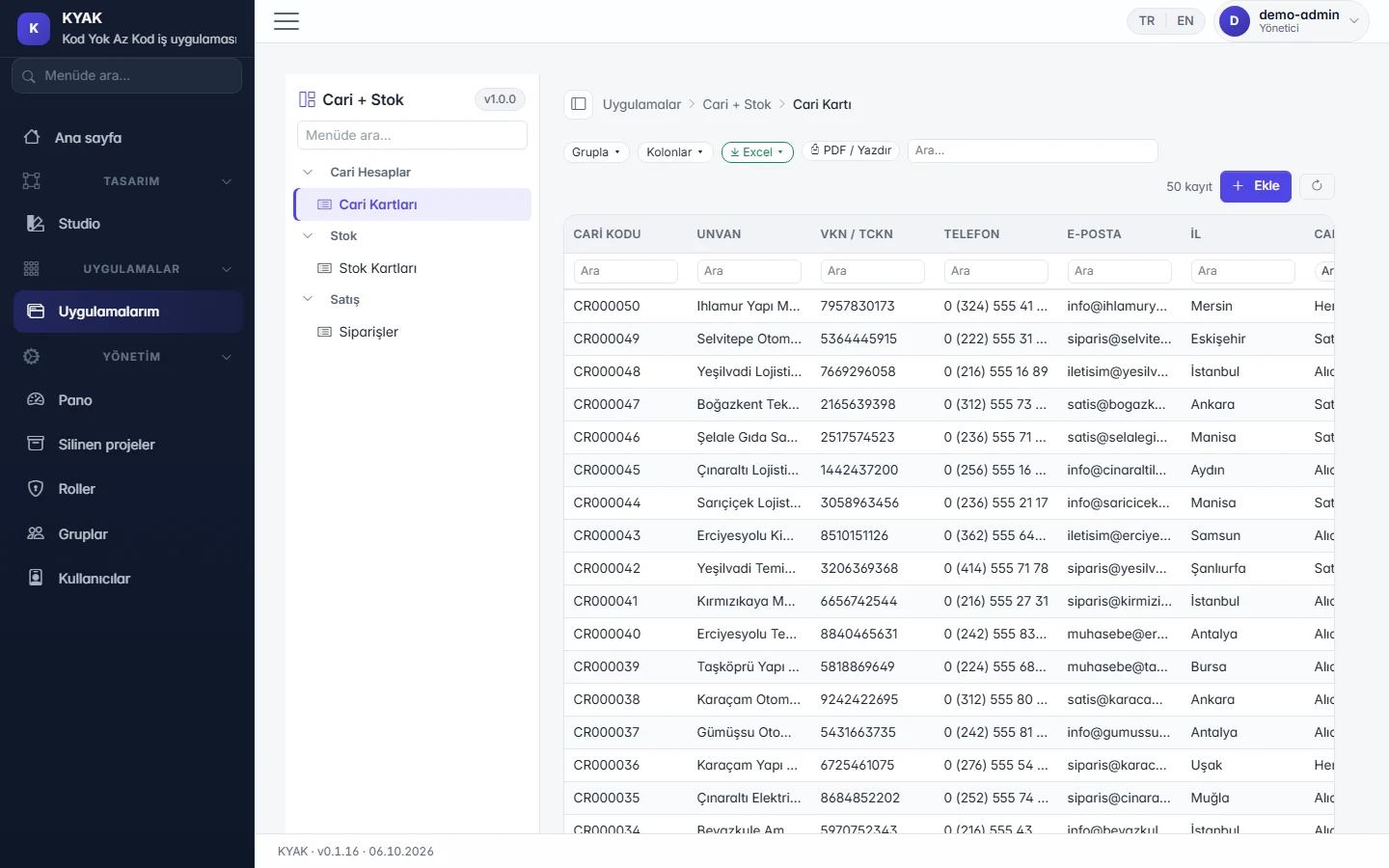
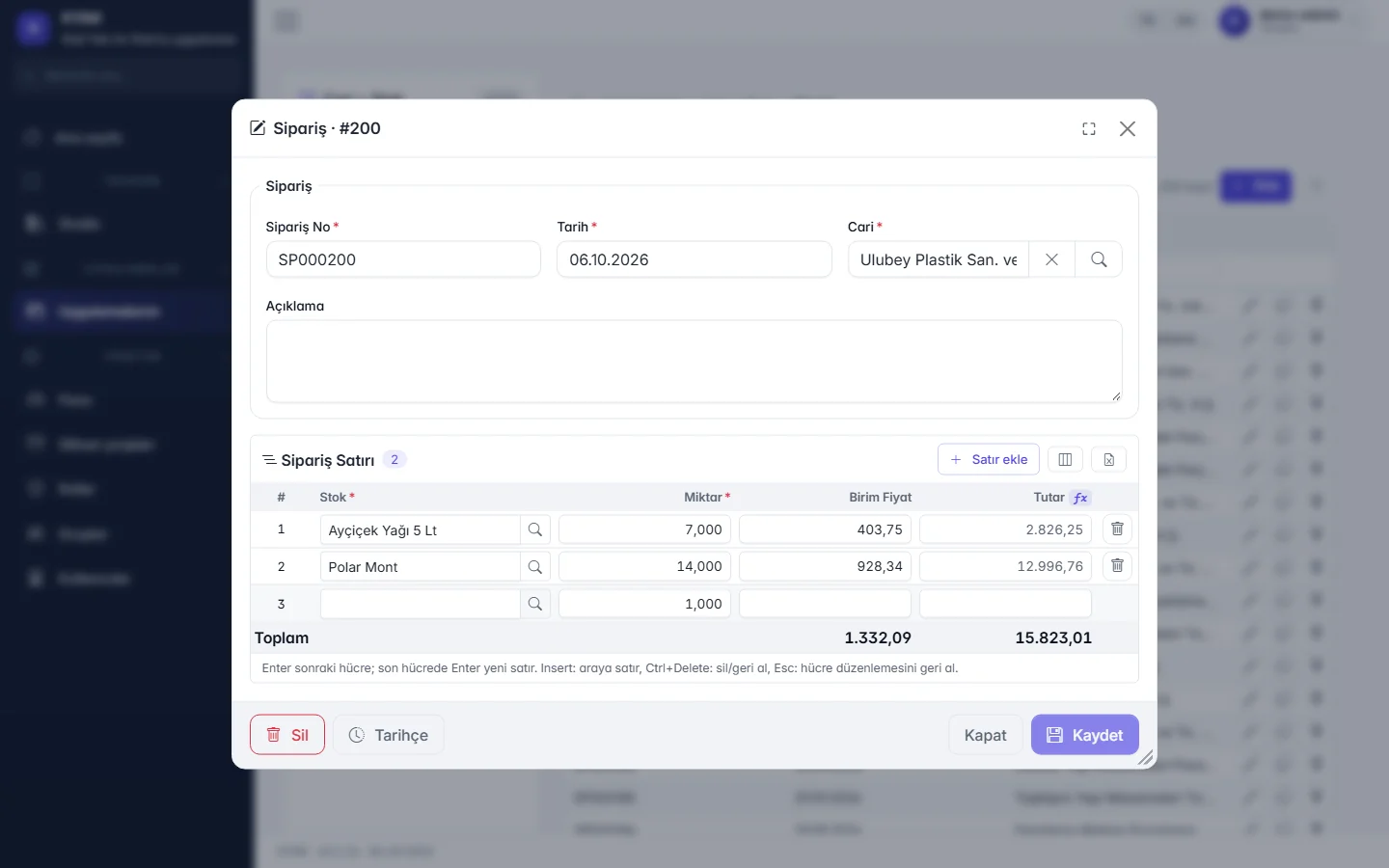
Every table gets a list with search, grouping, column picker and Excel/PDF export; header-and-lines documents with F2 to pick, F10 to save, one transaction.
Line amounts, totals and conditions with the formula helper; rules are checked before saving and document numbers follow a template.
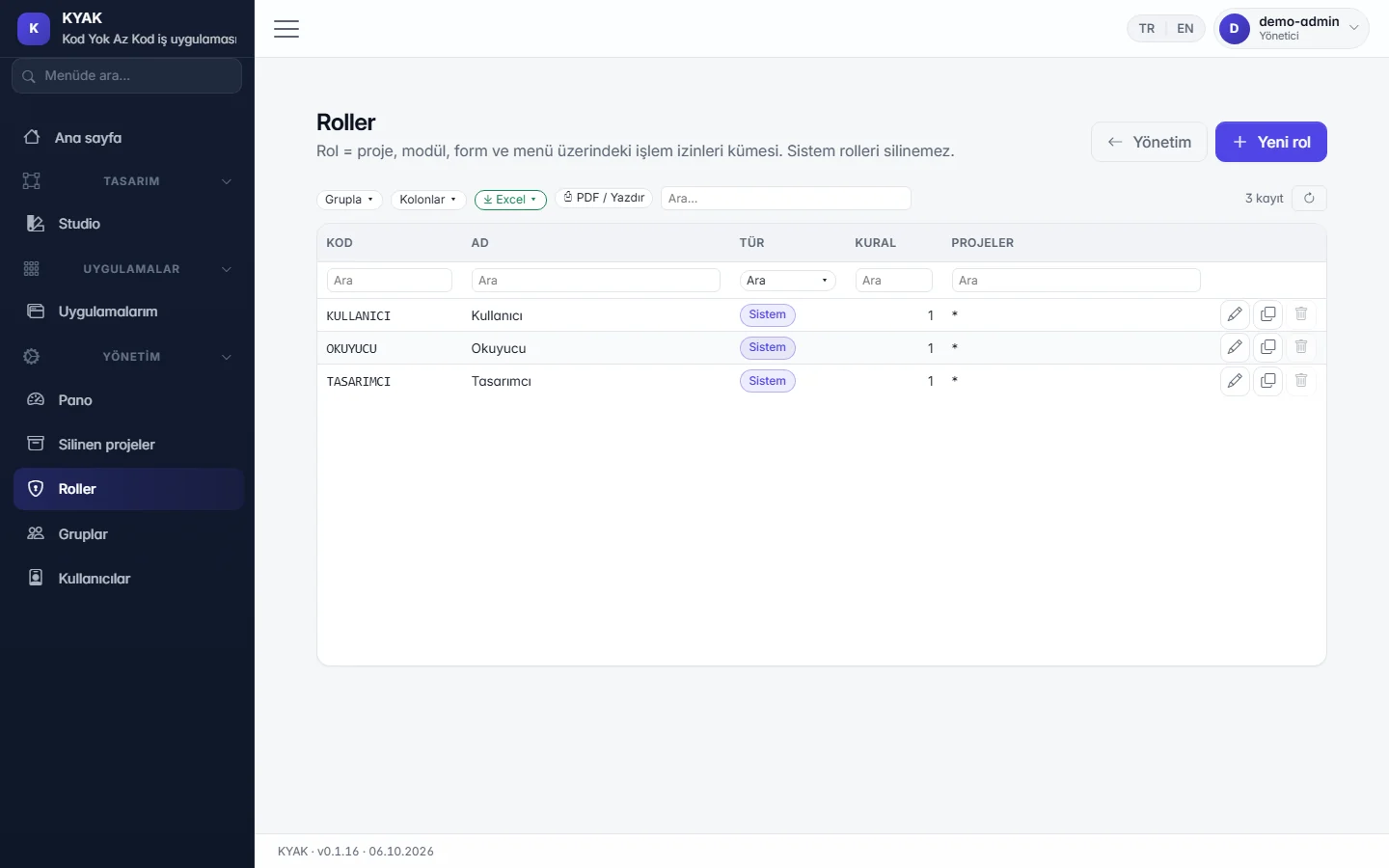
Who changed each record and when is tracked; project, form and menu permissions through user, group and role screens, with field- and record-level limits.
Export lists to Excel with real numbers; download a template, fill it in, import in bulk with validation and undo if needed.
Core modules such as accounts, stock and orders come as a starter template you extend to fit.
In the cloud each company has its own database; the on-premises package installs with a wizard and data stays in your own SQL Server.
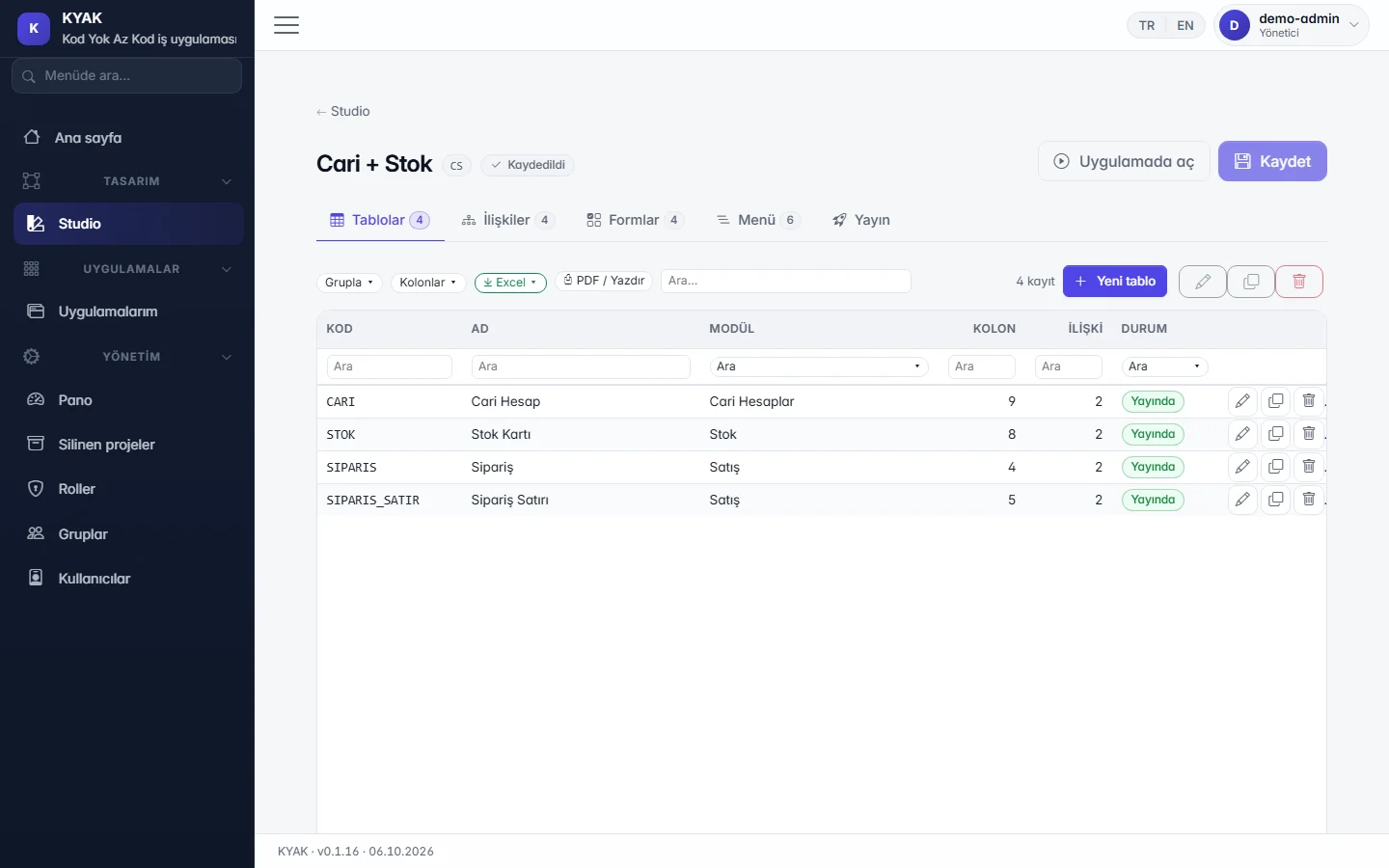
Today (manual / spreadsheets)The work runs in Excel files; files multiply and nobody is sure who works on which version.
With KYAKYou design and publish the tables, relations, forms and menus yourself; the work lives in one application.
Today (manual / spreadsheets)Search, grouping and export are set up by hand in every file.
With KYAKLists come ready with search, grouping and Excel/PDF export.
Today (manual / spreadsheets)Header–line documents are kept on separate sheets; who changed what cannot be traced.
With KYAKHeader–line document entry, record history and role-based permissions come ready.
We show openly what is ready, what is in development and what comes next. We do not promise dates; your feedback sets the priorities.
Tables, fields, relations, forms and the menu on one screen; changes stay in draft until you publish.
Drag fields into place, resize them and preview on desktop, tablet and phone.
Every table gets a list with search, grouping, column picker and Excel/PDF export; header-and-lines documents with shortcuts matching the ERP you know.
Line amounts, totals and conditions with the formula helper; rules are checked before saving and document numbers follow a template.
Who changed each record and when is tracked; project, form and menu permissions through user, group and role screens.
Hide fields or make them read-only, filter records by rule.
Export lists to Excel with real numbers; download a template, fill it in, import in bulk with validation and undo if needed.
Core modules such as accounts, stock and orders come as a starter template you extend to fit.
Deleted records are archived with a reason and can be restored by an authorised user.
Conditional, multi-step approval for records and documents; pending approvals arrive as notifications.
Summary cards and charts from app data; each user arranges their own dashboard.
Single-page PDF or print-out from a record; batch printing from the list.
In the cloud each company has its own database; the on-premises package installs with a wizard and data stays in your own SQL Server.
A read-only feed that respects permissions and personal-data masking; connect from tools such as Power BI.
A documented, permission-aware programming interface for every published app.
Generating, sending and tracking e-Invoice and e-Archive documents.
Start from the tables of ERP databases such as Logo, Mikro or Netsis.
Scheduled and event-driven data exchange with other applications.
Download a two-page PDF brochure about the product to share with your team.
KYAK is not released yet. Shall we email you when it launches, or give you a call? Choose your channel.
Would you like a feature in KYAK, have a suggestion or hit a problem? Tell us; the team reads every message and shapes the roadmap accordingly.